
From the Art+Logic archive · written in 2013. The tools may have moved on; the thinking still holds.
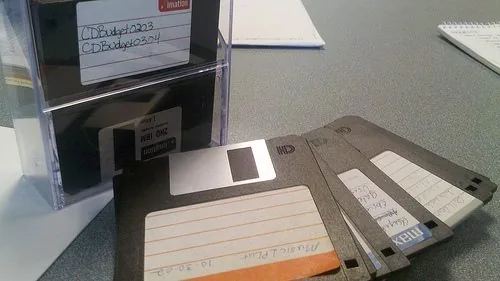
Let’s face it, those of us who work on computers for living have a lot of data sitting around. In fact, even those of us who don’t work on computers have a lot of data sitting around. We have multiple computers, each with giant hard drives, replicated by backup solutions to external hard drives, further duplicated to cloud backup solution, with syncing capabilities that replicate the data on various other computers and mobile devices, each file with extensive versioning information that let’s us grab a particular file at any particular point in time. Yes, I know that’s a run-on sentence, but the lack of a period seemed symbolic of the nested mess of data I have found myself in.
I took a look through my closet and found over 7 hard drives from old computers that I extracted before selling the outdated hardware. In fact, one of them still contains a bootable copy of Windows ME. I currently have 3 external hard drives hosting Time Machine backups. After getting a new iMac, I transferred all my user data from my old macbook to the new machine, and have been maintaining backups of both machines ever since. Even if I could know, I’m not sure I’d want to know how many times my data is actually backed up. In order to sort it all out and remerge all my data back into a single store, I’d probably have to use some fancy rsyncing or some other means of smart copying. But the honest truth is I’ll probably never do that because I don’t want to risk losing anything.
What a mess. I admit that there are likely much more organized people out there, who have their data in a tidy little bundle, backed up in a logical way, redundant as it needs to be, but no more. The problem is I just don’t have that much time to devote to it. If I could do it over again, I might have been able to prevent my data from forking, therefore leaving myself in a bit more manageable state. But alas, I can’t go back in time.
Then I started perusing my drives, and I quickly realized that there really wasn’t a whole lot worth keeping. It may be nice to recall a letter I wrote to terminate the lease on the apartment I lived in 8 years ago, but I doubt I’ll ever need that again. Sure, there are things I do want to keep, such as pictures of my kids, letters to the IRS, and semi-current resumes. But there’s a whole lot that feels more like digital clutter than anything else. Strangely, it gives me the same sensation as when I open up the hall closet that’s become a repository for junk that I have no intention of ever using again, but haven’t got the heart to part with.
Am I a digital hoarder? I hope not. Storage has become so cheap these days that it’s allowed me to be lazy. It just doesn’t pay to get rid of anything, because it only costs fractions of pennies to keep it all. So I continue to keep the 10 out-of-focus images that I shot in order to get one good one. Then I back those up, sync it across to my other computers, and store version information about them. The toll isn’t immediately visible, but comes later when it takes iPhoto three minutes to startup and shed the spinning beach ball. Or when spotlight brings our computer down to a crawl indexing the mass of files sitting around.
So maybe it’s time to get a little more familiar with the delete key. It’s probably the cleanest key on my keyboard, and I’m starting to think that’s not a good thing. Wouldn’t it be great to whittle down my digital storage requirements to only what will fit in the back on my virtual Volkswagen? Is it even possible?
In my professional life, I’ve found a similar situation. I’ve been working on legacy php application that started nearly 10 years ago. Some of the code is still in another language, with a messy hodge podge of model/view/controller all rolled into a single script (not even classes). We’re trying to bring that forward into a modern codebase, and it’s generally easy to convince the powers that be of the benefits of doing so. The problem is we never get a chance to go back and remove the obsolete code. The old remains, festers, and creates bloat that causes grepping the project to take several minutes. We end up with several different ways to do the same thing, and new developers often have a hard time acclimating to the system and figuring out the latest methodology for accomplishing a task. We have to sift through mounds of the old, sticky mess in order to find what we’re looking for. It’s inefficient, frustrating, and generally uncool.
In all, I’m beginning to realize it’s almost as important to remove obsolete code as it is to add new code. Whether or not we explicitly include a line item in an estimate for deleting old code, it should always be built into the estimates for new features. We should strive to keep our code as streamlined, agile, and succinct as possible. Besides, anyone who’s ever deleted an old troublesome piece of code knows that it just feels good. I’m about to be able to do that with a particularly hairy piece of deprecated code, and the thought gets me a little excited. It’s kind of geeky, I know…but strangely satisfying, nonetheless.
So for me, it’s time to simplify. It’s time to rid myself of Windows ME, bad sepia toned images, and my CS 101 docs. Hopefully, we can do the same on my coding project, removing bloat that hasn’t been exercised in years. And more importantly, I’ll try to be aware enough of this in the future not to get back to this same place again.
(Image via http://www.flickr.com/photos/pandameixiang/6784480227/)