
// I need to

ModernizeUpgrade without breaking it RescueFix what someone else started Build NewTurn an idea into a product Reach More PeopleGet found, get used, include everyone

// Company

Case StudiesExpertiseAbout + CareersResourcesContact Book a call →
≡articleRescue

MacGDBp - A Neat PHP Debugger for Mac Users

Debug PHP web apps on a Mac with MacGDBp and Xdebug: step through code, set breakpoints, inspect variables, and set it up easily with MAMP.

Art+Logic Apr 1, 20131 min read

From the Art+Logic archive · written in 2013. The tools may have moved on; the thinking still holds.

MacGDBp - A neat PHP debugger for Mac users

MacGDBp is a nifty Mac application by Blue Static (http://www.bluestatic.org) for debugging PHP web applications. MacGDGp works with the Xdebug extension and is very easy to set up. Like any other debugger, MacGDBp provides the ability to step through each line of PHP code and allows setting up of breakpoints very easily. Here’s a screen shot of the main window.
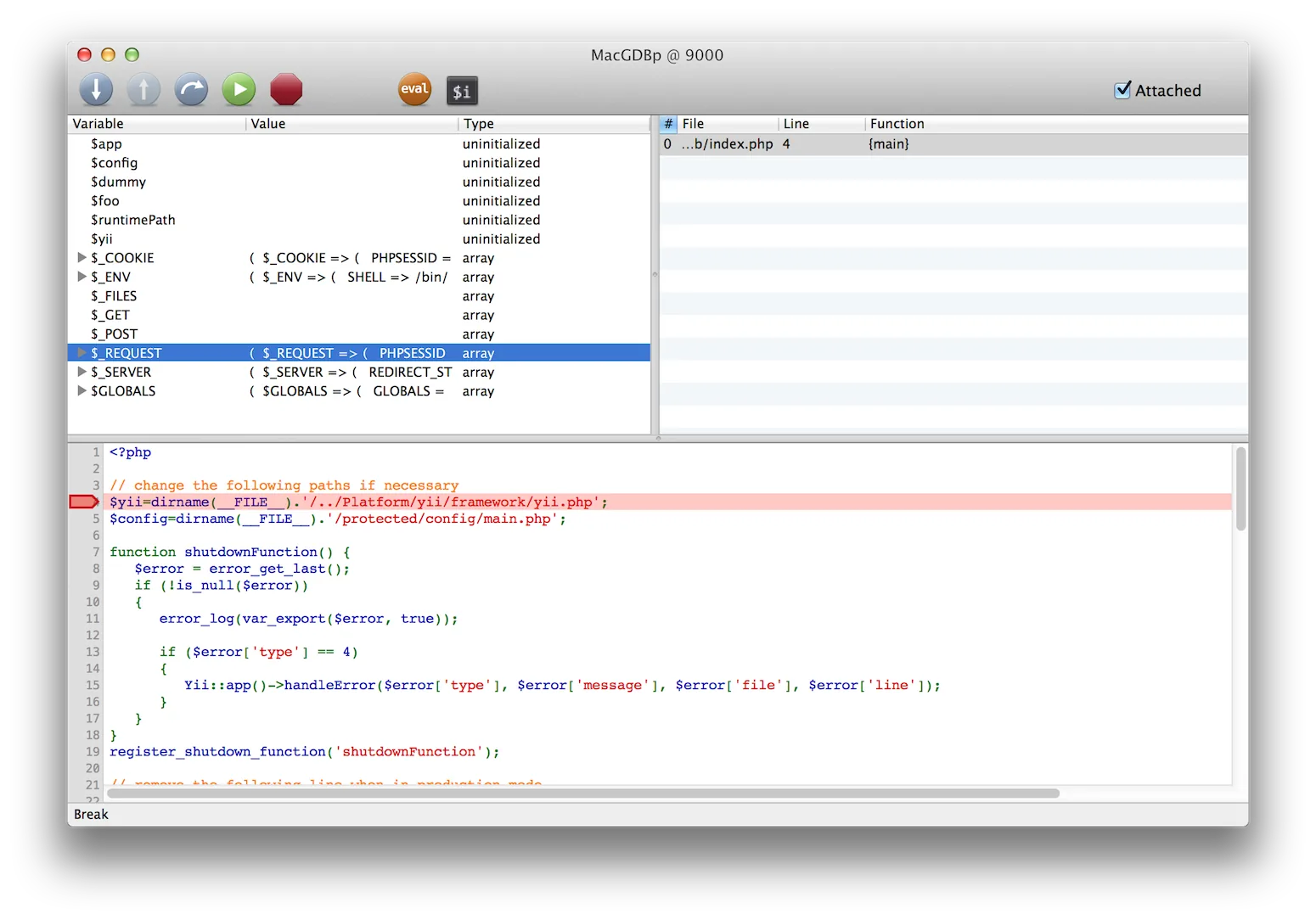
MacGDBp - A Neat PHP Debugger for Mac Users

MacGDBp also allows inspection of variables during debugging in a separate HUD window. This is useful for when variable values are long enough to not display fully in the main debugger window.
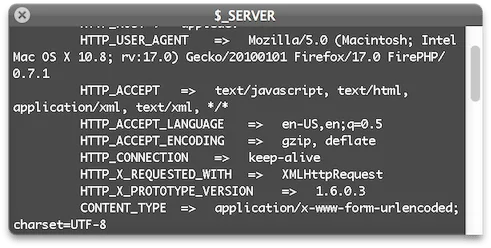
MacGDBp - A Neat PHP Debugger for Mac Users

I have been happily using it on PHP projects.

The only problem I have run into (and as is mentioned on the Blue Static web site) is setting up Xdebug with the built-in version of PHP on Mac OS X. However, I now use MAMP for PHP development and installing Xdebug in MAMP was a breeze for me. If you use MAMP on the Mac for creating PHP applications, you will find this tool very handy unless you are already set up for debugging with alternate methods.

MacGDBp claims to work well for debugging a remote server but I have not used it in this scenario yet.

The source for MacGDBp is also available so if you want to enhance it to suit your needs, you can!

keep going

More to explore in Rescue.

All Rescue resources →
let's talk

Got a problem like this one?

Tell us what's stuck. A real person replies within one business day.

Talk to our team →

Talk to people who know software, not a sales script.

Your first call is with Aja, our VP of Sales. He'll help make sure you're solving the right problem. Here's what you'll cover together:

  1. What you're trying to accomplish

    The business goal first, then the technology.

  2. Possible approaches

    And the tradeoffs of each, in plain language.

  3. Risks you may not have considered

    Technical and business, before they cost you.

  4. Whether AI changes the math

    What's practical, and what's just hype for your project.

  5. Sensible next steps

    Even if the right next step is not us.

book-a-call.ics

Loading the scheduler…

Open the booking page →

Some problems are easier to explain in writing. Send us a few lines about what you're working on, and we'll reply within one business day. Helpful to include:

  1. What the software does, or should do
  2. What's stuck, or what's worrying you
  3. Any deadline or budget you have in mind
note.md

Loading the form…